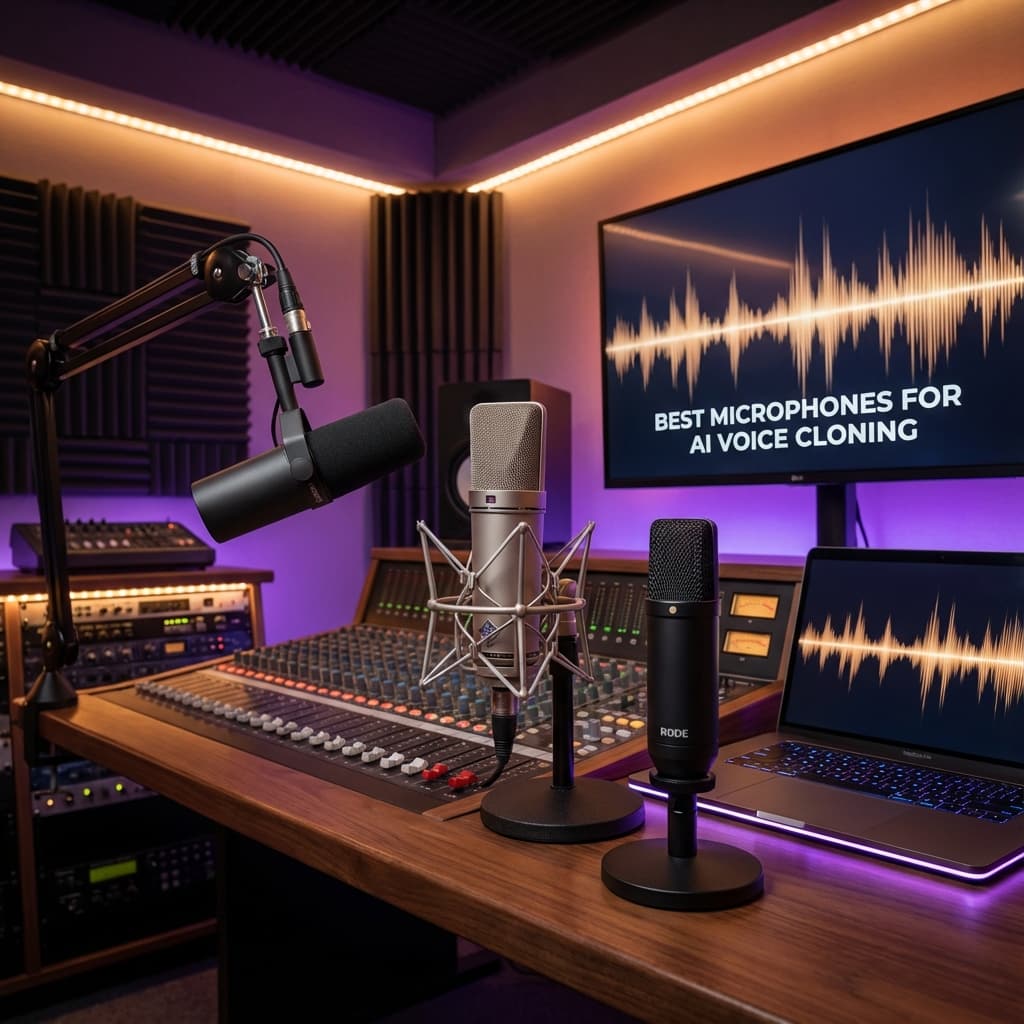
5 Best Microphones for AI Voice Cloning (2025 Guide)
Quality input equals quality output. Discover the best microphones to capture your voice signature perfectly for AI training and speech translation.
When it comes to AI Voice Cloning and Speech Translation, one rule reigns supreme: Garbage In, Garbage Out. The quality of your microphone directly determines the quality of your AI-generated voice clone. A crystal-clear recording allows the AI to capture every nuance of your vocal identity, from the subtle breathiness in your tone to the unique resonance of your chest voice. A poor recording forces the AI to guess what your voice actually sounds like beneath layers of noise and distortion.
Even the most advanced AI models (like the ones we use at VoiceOver Speech) struggle if the input audio is muffled, echoed, or noisy. To create a digital twin of your voice that sounds truly authentic, you need a high-quality capture. In this comprehensive guide, we will walk you through the five best microphones for AI voice cloning in 2025, explain the science behind why microphone quality matters, help you choose between dynamic, condenser, and ribbon microphones, cover room acoustics fundamentals, and provide a complete post-recording workflow.
Why Microphone Quality Matters for AI: The Science of Frequency Response
AI voice cloning models work by analyzing the spectral characteristics of your voice. They break your audio into thousands of tiny frequency bands and learn the unique patterns that make your voice yours. This process relies heavily on the frequency response of your microphone, which describes how accurately the mic captures sounds across the audible spectrum (roughly 20 Hz to 20 kHz).
A microphone with a flat, wide frequency response captures your voice faithfully, giving the AI a complete picture of your vocal signature. Cheap microphones often have a narrow frequency response (perhaps 100 Hz to 10 kHz), which cuts off the low-end warmth and high-end sparkle. The AI then learns an incomplete version of you, resulting in a clone that sounds thin, dull, or unnatural.
Key frequency ranges for voice cloning:
• 80-250 Hz (Fundamentals): The base pitch of your voice. Missing this range makes the clone sound tinny.
• 250 Hz-2 kHz (Body): The main energy of speech. This is where intelligibility lives.
• 2-6 kHz (Presence): The clarity and "cut" of your voice. Critical for the AI to reproduce your articulation.
• 6-16 kHz (Air/Brilliance): The subtle sibilance and breathiness. This makes a clone sound "alive" rather than robotic.
Dynamic vs. Condenser vs. Ribbon: Which Type for AI Cloning?
Dynamic Microphones
Dynamic mics use a moving coil attached to a diaphragm. They are rugged, forgiving, and excel at rejecting background noise.
• Best for: Untreated rooms, noisy environments, and deep voices.
• Frequency response: Typically 50 Hz-16 kHz. Slightly rolled-off highs.
• AI advantage: Natural noise rejection means cleaner input, even in imperfect conditions.
• Examples: Shure SM7B, Shure MV7+, Electro-Voice RE20.
Condenser Microphones
Condensers use a charged capacitor plate. They are extremely sensitive and capture fine detail across a wide frequency range.
• Best for: Treated rooms, detailed vocals, and higher-pitched voices.
• Frequency response: Typically 20 Hz-20 kHz. Full-spectrum capture.
• AI advantage: Extra detail gives the AI more information, potentially producing a more accurate clone.
• Caution: They pick up everything, including room reflections, fans, and traffic noise.
• Examples: Audio-Technica AT2020, Rode NT1, Neumann U87.
Ribbon Microphones
Ribbon mics use a thin metal ribbon in a magnetic field. They produce exceptionally smooth, natural sound.
• Best for: Warm, vintage-sounding voices. Excellent for voice-over work.
• Frequency response: 20 Hz-18 kHz with natural high-end rolloff.
• Caution: Very fragile. Strong air gusts can damage the ribbon.
• Examples: Royer R-121, sE Electronics X1 R.
Our recommendation: Start with a dynamic mic if your room is untreated. Move to a condenser once you have proper acoustic treatment.
The Top 5 Microphones: Comparison Table
| Rank | Microphone | Type | Price | Freq. Response | Connection | Best For |
| :--- | :--- | :--- | :--- | :--- | :--- | :--- |
| 1 | Shure SM7B | Dynamic | ~$399 | 50 Hz-20 kHz | XLR | Pro podcasters, studio |
| 2 | Shure MV7+ | Dynamic | ~$279 | 50 Hz-16 kHz | USB/XLR | Simplicity seekers |
| 3 | Audio-Technica AT2020 | Condenser | ~$99 | 20 Hz-20 kHz | XLR | Budget beginners |
| 4 | Apogee HypeMiC | Condenser | ~$349 | 20 Hz-20 kHz | USB | Travel creators |
| 5 | DJI Mic 2 | Lavalier | ~$349 | 50 Hz-16 kHz | Wireless | Video creators |
1. The Industry Standard: Shure SM7B
Price: ~$399 | Type: Dynamic | Connection: XLR | Best For: Professional Podcasters & YouTubers
The pristine, "radio voice" sound you hear on Joe Rogan, Lex Fridman, or any top podcast? That is usually the SM7B. Originally designed for broadcast studios in the 1970s, this microphone has become the gold standard for voice recording. Its flat, wide frequency response (50 Hz to 20 kHz) captures the full range of the human voice without artificial coloration.
• Pros: Incredible background noise rejection via cardioid pattern; warm, rich tone flattering every voice type; built-in bass rolloff and presence boost switches; virtually indestructible build.
• Cons: Requires powerful audio interface (60+ dB clean gain) and often a Cloudlifter CL-1 ($150) or Fethead ($99); heavy at 765g.
• Recommended Interface: Focusrite Scarlett 2i2 (4th Gen) + Cloudlifter CL-1, or Universal Audio Volt 1.
• AI Verdict: The exceptionally clean signal with minimal self-noise makes it *perfect* for AI training.
2. The Best USB Plug-and-Play: Shure MV7+
Price: ~$279 | Type: Dynamic | Connection: USB-C & XLR | Best For: Creators wanting simplicity
Inspired by the SM7B, this hybrid mic offers both USB and XLR. The USB mode includes built-in DSP that can automatically level your voice, reduce noise, and apply gentle compression. For creators who do not want a separate interface, this is the sweet spot.
• Pros: Built-in DSP auto-cleans your voice; no interface needed in USB mode; grows with you (switch to XLR later); touch-panel gain controls.
• Cons: Slightly less "rich" than SM7B in USB mode; DSP means AI learns processed voice (turn DSP off for training).
• AI Verdict: Excellent one-cable solution. Disable DSP effects when recording AI training samples.
3. Best Value Condenser: Audio-Technica AT2020
Price: ~$99 | Type: Condenser | Connection: XLR | Best For: Budget beginners in quiet rooms
Often the first "real" mic for many creators. As a condenser, it captures extraordinary detail across the full 20 Hz to 20 kHz spectrum. The clarity for under $100 is remarkable.
• Pros: Extremely clear across the full frequency range; 144 dB dynamic range; low self-noise (20 dB SPL); affordable.
• Cons: Picks up *everything* (echo, keyboards, AC hum, footsteps). Needs a quiet, treated room. Requires 48V phantom power.
• Recommended Interface: Focusrite Scarlett Solo (4th Gen) or PreSonus AudioBox USB 96.
• AI Verdict: More detail per dollar than any other option if your room is quiet.
4. The Portable King: Apogee HypeMiC
Price: ~$349 | Type: Condenser | Connection: USB (Lightning/USB-C) | Best For: Traveling creators
Small enough for a jacket pocket but packing studio-grade analog compression and a full condenser capsule. The built-in analog compressor (modeled after legendary studio hardware) evens out your dynamics in real-time.
• Pros: Studio-quality analog compressor; works with iOS devices; records up to 24-bit/96 kHz; exceptional build.
• Cons: Expensive for its size; compression should be off for AI training; still sensitive to room noise.
• AI Verdict: Ideal for recording in different locations. Set compressor to "off" for AI training samples.
5. Budget Wireless: DJI Mic 2
Price: ~$349 (2 TX + 1 RX) | Type: Lavalier | Connection: USB-C/Lightning/3.5mm | Best For: Mobile video creators
The DJI Mic 2 has a secret weapon: 32-bit float recording. The internal recording never clips, no matter how loud or quiet you speak. This eliminates one of the most common recording mistakes for AI training.
• Pros: 32-bit float eliminates clipping; dual-transmitter for two speakers; 250m wireless range; 6-hour battery.
• Cons: Chest placement favors body register over brilliance range; wireless compression slightly reduces quality vs wired.
• AI Verdict: Good for video creators needing mobility. Supplement with desk mic recordings for best clone quality.
Audio Interface Recommendations
| Microphone | Recommended Interface | Why | Price |
| :--- | :--- | :--- | :--- |
| Shure SM7B | Focusrite Scarlett 2i2 + Cloudlifter | High gain needed | $180 + $150 |
| Shure MV7+ | None needed (USB) | Built-in interface | $0 |
| AT2020 | Focusrite Scarlett Solo | 48V phantom power required | $130 |
| Apogee HypeMiC | None needed (USB) | Built-in interface | $0 |
| DJI Mic 2 | None needed (Wireless) | Built-in 32-bit recorder | $0 |
For XLR mics, the Focusrite Scarlett series (4th Gen) is our top pick: low-noise preamps, reliable drivers, excellent price-to-performance.
Room Acoustics Basics: Reflection, Absorption, and Diffusion
A $100 mic in a well-treated room always outperforms a $1,000 mic in an untreated room for AI cloning.
Reflection
Sound bounces off hard, flat surfaces (walls, glass, hardwood). These reflections create an "echoey" quality that AI models interpret as part of your voice, making the clone sound like it is permanently in a bathroom.
Absorption
Soft, porous materials (acoustic foam, thick curtains, carpets, bookshelves) absorb sound waves. Focus on the wall behind your mic and the wall behind you.
Diffusion
Diffusers scatter sound in many directions. Bookshelves with irregularly sized books are natural diffusers.
Quick Room Treatment Guide
• Minimum ($0): Hang a thick blanket behind your mic. Record in a room with carpet and furniture.
• Moderate ($100-$300): Add 4-6 acoustic foam panels at ear height. Use a mic isolation shield.
• Professional ($500+): Install 2-inch rockwool panels at reflection points. Add bass traps in corners.
Recording Environment Setup
1. Eliminate Mechanical Noise: Turn off AC/heating; close windows; move computer away from mic; use a shock mount.
2. Optimize Mic Placement: Dynamic mics: 4-6 inches, slightly off-axis. Condenser mics: 6-12 inches with pop filter. Keep mic at mouth level.
3. Monitor with Headphones: Always use closed-back headphones. Recommended: Audio-Technica ATH-M50x ($149) or Sony MDR-7506 ($99).
Sample Rate and Bit Depth for AI
• Sample Rate: 48 kHz recommended (captures up to 24 kHz). 44.1 kHz acceptable. 96 kHz is overkill.
• Bit Depth: 24-bit recommended (144 dB dynamic range). 32-bit float is ideal if available.
• File Format: WAV (uncompressed) or FLAC (lossless). Never use MP3 for AI training.
Post-Recording Workflow
Step 1: Listen Back - Check for clicks, pops, background noise, or sections where you were too far from the mic.
Step 2: Trim - Remove long silences, false starts, coughs, and interruptions.
Step 3: Normalize - Set peak level to -3 dB. Do NOT apply compression.
Step 4: No Effects - No EQ, reverb, noise reduction, or de-essing. The AI needs your raw voice.
Step 5: Export - WAV format, 48 kHz, 24-bit. Upload to VoiceOver Speech.
Budget Tiers
Tier 1 (~$50): Fifine K669 USB + pop filter + desk stand. Record in a closet.
Tier 2 (~$200): AT2020 + Behringer UMC22 + boom arm + foam panels.
Tier 3 (~$400): Shure MV7+ + boom arm + reflection filter.
Tier 4 (~$1,000+): SM7B + Scarlett 2i2 + Cloudlifter + rockwool panels + bass traps.
FAQ
Can I use my phone's microphone?
We strongly advise against it. Phone mics have narrow frequency response, heavy AGC, and noise suppression that alters your natural voice.
Do I need a professional studio?
No. A quiet bedroom with basic acoustic treatment (rug, curtains, foam panels) is sufficient.
How much audio do I need?
VoiceOver Speech can clone from 10-30 seconds. For best results, record 1-3 minutes of varied speech.
USB or XLR?
USB for convenience, XLR for maximum quality. Starting out? USB is fine. Professional voice work? Invest in XLR.
Can noise reduction fix a bad recording?
Not recommended for AI training. Noise reduction removes parts of your vocal signature too. Record clean audio instead.
What about gaming headset mics?
They prioritize intelligibility over fidelity. Clone quality will be noticeably inferior to a dedicated mic.
Ready to Clone Your Voice?
Once you have your high-quality recording, head to our dashboard to create your digital voice twin. The better your recording, the more lifelike your clone. Invest in the right mic, treat your room, follow our guidelines, and you will be amazed at the results.
Start your AI Voice journey today