How to Translate Zoom & Teams Meetings with AI
Breaking language barriers in business. Learn how to use AI tools to transcribe and translate your video conferences in real-time or post-meeting.
Global business is the new normal. Companies of every size now have teams, partners, clients, and vendors scattered across multiple countries and time zones. Yet language barriers remain the single biggest friction point in international collaboration. You are on a Zoom call with potential clients in Tokyo, and despite everyone's best efforts at English, you are missing 30% of the nuance -- the subtle hesitations that signal concern, the cultural context behind a polite "we will consider it," and the technical details that get lost when explained in a second language. The cost of this miscommunication is enormous: deals fall through, projects get delayed, and team alignment suffers.
According to a Harvard Business Review study, companies with effective multilingual communication practices see 30% higher employee satisfaction in international teams and close cross-border deals 25% faster. The Economist Intelligence Unit found that miscommunication in multilingual business settings costs companies an average of $12,000 per employee per year in lost productivity.
Whether you use Zoom, Microsoft Teams, or Google Meet, AI is fundamentally revolutionizing how we handle multilingual meetings. This guide covers everything from real-time translation tools to post-meeting dubbing workflows, helping you choose the right approach for every scenario.
The Business Case for Multilingual Meetings
Before diving into the technology, let us quantify why meeting translation matters for your organization:
• Global Workforce Statistics: 75% of Fortune 500 companies now have employees in 10+ countries. The average multinational conducts over 200 cross-border meetings per month.
• Comprehension Gap: Research from the International Association of Conference Interpreters shows that participants in meetings conducted in their second language retain only 60-70% of the information compared to native-language meetings.
• Decision Quality: A study published in the Journal of International Business Studies found that negotiations conducted with translation support resulted in 35% better outcomes for both parties, because nuance and intent were preserved.
• Inclusion and Retention: Employees who feel they cannot fully participate in meetings due to language barriers are 3x more likely to leave the company within 18 months.
The math is straightforward: if your organization conducts more than 10 cross-border meetings per month, investing in meeting translation technology will pay for itself within the first quarter.
Real-Time vs. Post-Meeting Translation
There are two fundamentally different approaches to meeting translation, each suited to different scenarios:
1. Real-Time Translation (Live)
Real-time translation provides instant captions or audio translation during the meeting itself.
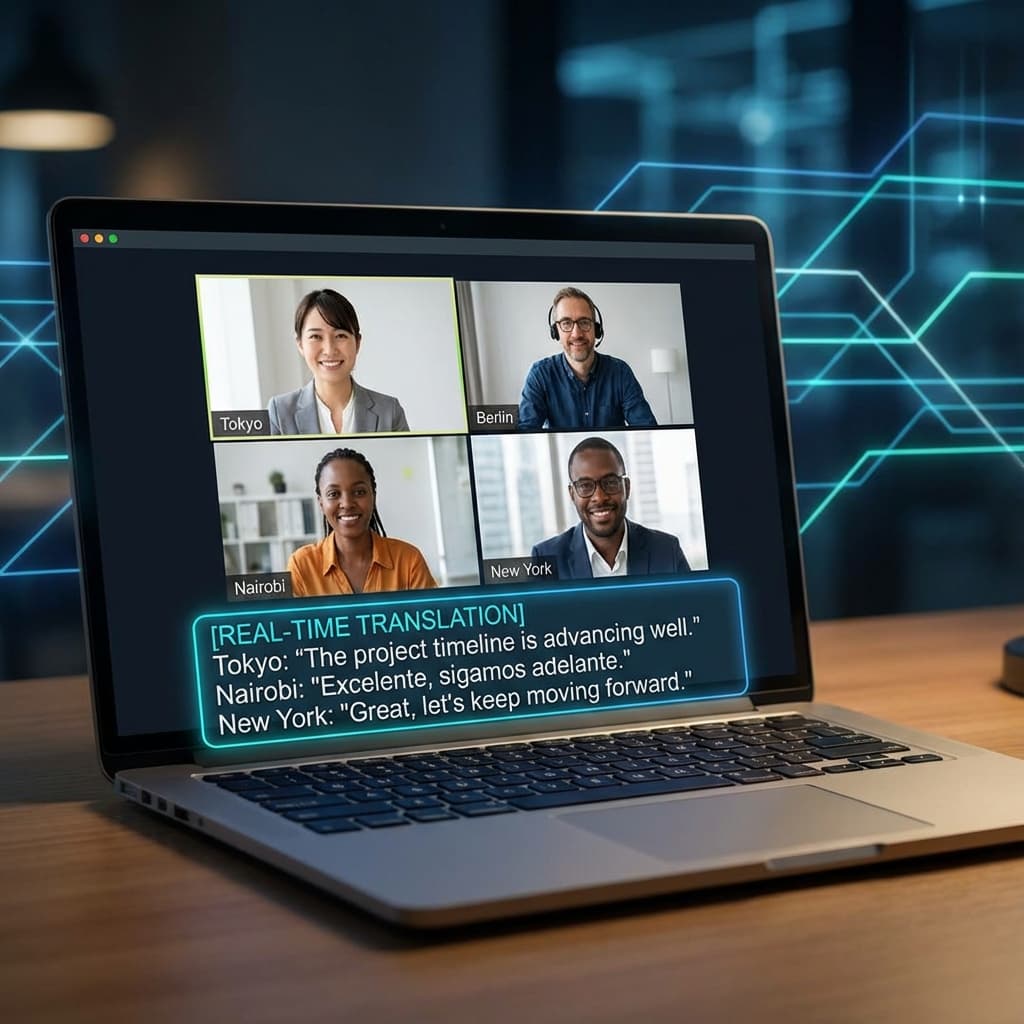
How it works: AI listens to the speaker's audio, transcribes it, translates it to the target language, and displays captions (or generates audio) in near-real-time, typically with a 2-5 second delay.
• *Pros*: Enables fluid live conversation; participants can respond and ask questions in real-time; no post-processing required; essential for negotiations and interactive discussions.
• *Cons*: Accuracy is typically 80-90% (lower for technical jargon or strong accents); captions are fleeting and ephemeral; the 2-5 second delay can disrupt natural conversation flow; quality degrades significantly with crosstalk or poor audio; no permanent record of the translated content.
• *Best for*: Client calls, brainstorming sessions, daily standups, and any meeting where live interaction is essential.
2. Post-Meeting Dubbing (Asynchronous)
Post-meeting dubbing takes a recorded meeting and produces a fully translated version with preserved speaker voices.
How it works: The meeting recording is processed through AI that transcribes the full content, identifies individual speakers (diarization), translates the transcript, and then generates new audio in the target language using voice cloning technology that preserves each speaker's vocal characteristics.
• *Pros*: Highest possible accuracy (95-99%); creates a permanent, searchable, accessible record; preserves speaker identity and voice; allows for human review before distribution; handles technical terminology better with context.
• *Cons*: Not suitable for live interaction; requires a recording; processing time of minutes to hours depending on meeting length; requires a platform like VoiceOver Speech.
• *Best for*: All-hands meetings, training sessions, board presentations, compliance briefings, executive communications, onboarding materials, and any meeting content that will be referenced repeatedly.
Detailed Platform Comparison: Built-In Translation Features
Each major video conferencing platform now offers some level of built-in translation support. Here is a detailed comparison:
Zoom AI Companion
Zoom's AI Companion offers real-time translation captions in 35+ languages. The system can translate the speaker's audio and display captions in the viewer's preferred language. Key capabilities include:
• Real-time caption translation during meetings
• Meeting summary generation in the viewer's language
• Support for 35+ languages with varying accuracy levels
• Requires Zoom Workplace Pro plan or higher ($13.33/month/user)
• Accuracy: Strong for European languages (90%+), moderate for Asian languages (80-85%)
• Limitation: Captions only -- no audio dubbing. Participants still hear the original language.
Microsoft Teams Copilot
Microsoft Teams integrates translation capabilities through Copilot and its built-in translation features:
• Real-time caption translation in 40+ languages
• Post-meeting transcript translation through Copilot
• Integration with Microsoft 365 ecosystem (translated summaries appear in Outlook, OneNote)
• Requires Microsoft 365 E3/E5 or Teams Premium license
• Accuracy: Best-in-class for European languages, good for major Asian languages
• Standout Feature: Copilot can generate translated action items and follow-up emails directly from meeting content
Google Meet
Google Meet offers translation capabilities through its integration with Google's translation infrastructure:
• Real-time translated captions in 70+ languages
• Automatic meeting transcription with translation
• Integration with Google Workspace (Docs, Drive)
• Available on Business Standard plans and above
• Accuracy: Leverages Google Translate's neural networks; strong across most languages
• Limitation: Translation quality varies significantly for low-resource languages
Comparison Table
| Feature | Zoom AI Companion | Teams Copilot | Google Meet |
| :--- | :--- | :--- | :--- |
| Languages | 35+ | 40+ | 70+ |
| Real-Time Captions | Yes | Yes | Yes |
| Post-Meeting Translation | Limited | Via Copilot | Via Workspace |
| Audio Dubbing | No | No | No |
| Speaker Identification | Basic | Good | Basic |
| Voice Preservation | No | No | No |
| Offline Access | No | Via download | Via download |
The critical gap: None of these platforms offer post-meeting audio dubbing with voice preservation. They all provide text-based translation (captions and transcripts), but the audio itself remains in the original language. This is where VoiceOver Speech fills a crucial need.
Speaker Diarization Technology Explained
One of the most important technologies for meeting translation is speaker diarization -- the AI's ability to determine "who spoke when" in a multi-speaker recording. Without diarization, the translated output would be a single voice reading all dialogue, making it impossible to follow the conversation.
Modern diarization systems work through a multi-stage process:
1. Voice Activity Detection (VAD): The AI first identifies when someone is speaking versus silence or background noise.
2. Speaker Embedding Extraction: For each speech segment, the system extracts a "voice fingerprint" -- a mathematical representation of the speaker's vocal characteristics (pitch, timbre, speaking rate).
3. Clustering: The system groups segments with similar voice fingerprints together, assigning them to the same speaker.
4. Label Assignment: Each cluster is labeled (Speaker 1, Speaker 2, etc.) or, if names are provided, matched to specific individuals.
Advanced systems like those used by VoiceOver Speech can handle meetings with 10+ participants, distinguish between speakers who have similar voices, and maintain accuracy even when speakers frequently interrupt each other. The key is high-quality audio input -- which brings us to best practices for recording.
Security and Privacy Considerations
Meeting translation involves processing potentially sensitive business content through AI systems. Security considerations should be front and center:
• Data Residency: Understand where your meeting recordings are processed and stored. For EU companies, GDPR requires that personal data (which includes voice recordings) be processed within the EU or in countries with adequate data protection.
• Encryption: Ensure that recordings are encrypted both in transit and at rest. VoiceOver Speech uses end-to-end encryption for all uploaded content.
• Retention Policies: Establish clear policies for how long translated meeting recordings are retained. Most organizations should auto-delete after 90 days unless the content is flagged for permanent retention.
• Consent: In many jurisdictions, recording meetings requires participant consent. When you plan to translate and distribute recordings, obtain explicit consent for both the recording and the translation.
• Access Control: Translated meeting recordings should have the same access controls as the original. Not every employee needs access to translated board meetings.
• AI Training: Verify that your translation provider does not use your meeting content to train their AI models. VoiceOver Speech never uses customer content for model training.
Best Practices for Recording Meetings for Optimal AI Processing
The quality of your translated output is directly proportional to the quality of your input recording. Follow these practices to maximize translation accuracy:
1. Speak Clearly and at a Moderate Pace
AI transcription accuracy drops significantly with rapid speech. Aim for 130-150 words per minute (typical conversational English is 150-170 wpm). This slight slowdown feels natural to listeners while dramatically improving transcription accuracy.
2. Use Quality Microphones
As we discussed in our Microphone Guide, better audio input leads to significantly better translation accuracy. A $50 USB condenser microphone will produce dramatically better results than a laptop's built-in microphone. For group meetings, consider a conference speakerphone with built-in noise cancellation.
3. Minimize Crosstalk
AI transcription engines struggle enormously with overlapping speech. Establish a "one speaker at a time" norm for meetings that will be translated. Use the "raise hand" feature in your video conferencing platform to manage turn-taking.
4. Record Locally When Possible
Cloud recordings are compressed, which reduces audio quality. Zoom and Teams both offer local recording options that capture higher-quality audio. Use local recording for meetings where translation quality is critical.
5. Share Context and Glossaries
If your meeting involves technical jargon (e.g., "Kubernetes," "EBITDA," "sprint velocity"), AI might stumble on these terms. Preparing a glossary of key terms and their translations in advance can dramatically improve accuracy for specialized content.
6. Identify Speakers at the Start
Have each participant introduce themselves at the beginning of the meeting. This gives the diarization AI a clean voice sample for each speaker, improving speaker identification accuracy throughout the rest of the recording.
Integration with Enterprise Workflow
Meeting translation becomes most valuable when it flows seamlessly into your existing enterprise tools:
Slack/Microsoft Teams Channels: Automatically post translated meeting summaries to relevant team channels. A meeting between the US sales team and Japanese partners can be translated and shared to both the English and Japanese Slack channels within minutes of the meeting ending.
Notion/Confluence: Feed translated meeting transcripts into your knowledge base. This creates a searchable, multilingual archive of institutional knowledge that is accessible to every team member regardless of language.
CRM (Salesforce, HubSpot): Attach translated meeting recordings to opportunity and account records. When a new sales rep takes over an account with a Japanese client, they can review past meetings in their own language, dramatically reducing ramp-up time.
Project Management (Asana, Jira): Extract action items from translated meetings and automatically create tasks. A decision made in a German-language meeting can generate English-language tickets for the US development team.
Learning Management Systems: Translated training recordings can be uploaded directly to your LMS, making onboarding content available in every language your organization supports.
ROI Calculation for Meeting Translation
Here is a framework for calculating the ROI of meeting translation for your organization:
Direct Cost Savings:
• Human interpreter cost: $100-300/hour for live interpretation
• Average company with 20 cross-border meetings/month: $2,000-6,000/month on interpreters
• AI translation cost: $50-200/month for unlimited meetings
• Direct savings: $1,800-5,800/month
Productivity Gains:
• Time saved on follow-up clarification emails: 2-3 hours per meeting
• Reduced meeting time (no pausing for interpretation): 30% shorter meetings
• Faster onboarding for international hires: 40% reduction in ramp-up time
Revenue Impact:
• Faster deal closure with international clients: 25% reduction in sales cycle
• Higher win rates due to better communication: 15-20% improvement
• Improved retention of international clients: 10-15% reduction in churn
For a typical mid-size company with 50+ international employees and 30 cross-border meetings per month, the total annual value of meeting translation typically ranges from $150,000 to $500,000 when all factors are considered.
Step-by-Step Guide: Using VoiceOver Speech for Post-Meeting Dubbing
Here is the exact workflow for translating a recorded meeting using VoiceOver Speech:
Step 1: Record the Meeting
Use the built-in record function in Zoom, Teams, or Google Meet. For best results, enable "local recording" in Zoom (Settings > Recording > Local Recording) or download the recording after the meeting ends. Ensure you have at least 128kbps audio quality.
Step 2: Upload to VoiceOver Speech
Navigate to the VoiceOver Speech dashboard and upload your MP4 or MP3 file. The platform accepts files up to 2 hours in length. For longer meetings, consider splitting into segments (e.g., by agenda topic).
Step 3: Configure Speaker Diarization
Enable "Speaker Diarization" in the processing options. If you know the number of speakers, specify it for better accuracy. Optionally, provide speaker names so the system can label each voice in the output.
Step 4: Select Target Languages
Choose the languages you need. For a typical global company, you might select Spanish, Mandarin Chinese, Japanese, and German. Each language generates a separate audio track.
Step 5: Review and Edit
Once processing is complete, review the translated transcripts for accuracy. The platform allows you to edit specific segments if the AI made errors on technical terms or proper nouns. Edited segments are re-generated with corrections.
Step 6: Download and Distribute
Download the translated audio files. You now have versions of the meeting where every speaker communicates fluently in the target language while maintaining their original vocal identity -- the CEO still sounds like the CEO, just speaking Spanish instead of English. Distribute through your preferred channels: email, Slack, SharePoint, or your LMS.
Conclusion
Language barriers in business meetings are not just an inconvenience -- they are a quantifiable drag on productivity, decision quality, and employee satisfaction. The technology to eliminate these barriers exists today, and it is more accessible and affordable than ever.
Whether you need real-time captions for a live negotiation or a fully dubbed version of an all-hands meeting that your entire global team can understand, the solutions are available. The companies that adopt multilingual meeting practices today will have a significant competitive advantage in the increasingly global business landscape of tomorrow.
Do not let language define the limits of your team's collaboration. With modern AI tools, every meeting can be a truly global conversation where everyone participates fully, regardless of their native language.
Try translating your first meeting recording today with VoiceOver Speech and see the difference that full comprehension makes.